
The short version
- Most practical driving tests include independent driving, often using a sat nav set by the examiner.
- You are marked on your driving, not on perfect navigation.
- Set the route before moving and never hold or use a phone while driving.
- Use the voice instruction first, then glance briefly only when safe.
- If the sat nav seems wrong, follow road signs and safe road positioning.
Driving with a sat nav on test: what actually happens
If you are taking a UK practical driving test, you need to be comfortable driving with a sat nav because it is a normal part of modern independent driving. The DVSA says the car test includes about 20 minutes of independent driving. For most candidates this is following directions from a sat nav supplied and set up by the examiner, while some tests use traffic signs instead. Those DVSA arrangements are published guidance and can change, so always check the latest GOV.UK information when you book.
The key point is this: the examiner is not testing whether you are good at using gadgets. They are testing whether you can drive safely while making your own decisions. If you take a wrong turn but do it safely, that is not automatically a driving fault. If you panic, swerve late, miss mirrors, cut a lane or brake sharply because you are trying to obey the sat nav at all costs, that is where the marks appear.
In the car, I see learners make the same mistake again and again. They treat the sat nav voice as an order rather than information. A calm driver hears, ‘At the roundabout, take the second exit’, then checks signs, lane markings, mirrors and the road layout. A nervous driver stares at the screen, drifts off line and forgets there is a cyclist or bus beside them. The safe driver gets the better result, even if they take the wrong exit.
- The examiner sets the test sat nav, not you.
- You can ask the examiner to repeat or clarify an instruction.
- You should not touch or reprogramme the sat nav during the test.
- If you go the wrong way safely, the examiner will normally redirect you.
- Your observation, control and judgement matter more than navigation accuracy.
The law and Highway Code rules on sat nav use
This is general guidance, not legal advice. The law expects you to stay in proper control and keep a clear view of the road. A sat nav, phone mount or charging cable must not block your view through the windscreen or distract you from driving. The Highway Code is clear that you must exercise proper control of your vehicle at all times and avoid distractions.
Highway Code Rule 149 warns against being distracted by in-vehicle systems such as satellite navigation, and Rule 150 says you must exercise proper control and should avoid using controls in a way that distracts you. Rule 92 also matters because it says windscreens and windows must be kept clean and free from obstructions to vision. In practical terms, a sat nav stuck in the middle of the windscreen at eye level is asking for trouble.
If you use a phone as a sat nav, the law on hand-held mobile phone use is especially important. GOV.UK states that you can get 6 penalty points and a £200 fine for using a hand-held mobile phone when driving, with figures subject to change. For a new driver, 6 points within the first two years of passing can lead to your licence being revoked under the New Drivers Act, meaning you would need to apply for a provisional licence and pass both tests again.
- Set the destination before you drive off.
- Mount the device where it does not block your view.
- Use voice guidance so you do not need to keep looking down.
- Pull over safely and legally if you need to change the route.
- Do not hold a phone to check directions while stopped in traffic.
Where to put the sat nav and how to set it up
A good sat nav position is easy to glance at but not in your main line of sight. In lessons, I usually prefer it low on the windscreen, close to the dashboard, or in a secure dashboard mount if the car allows it. What I do not want is a screen stuck high in the middle of the glass, a cable hanging over the gear lever, or a phone wobbling in a loose vent clip.
Set the volume before you move. The voice should be loud enough to hear over engine noise, rain and ventilation, but not so loud that it startles you. If you are using a phone app, sort out battery, data, orientation lock and ‘do not disturb’ before the journey. A call banner or message notification appearing just as you reach a spiral roundabout is exactly the kind of avoidable distraction that unsettles learners.
On a driving test, you do not need to set up the DVSA sat nav. The examiner will do that and position it. If you cannot see or hear it properly, say so before moving away. That is not being awkward. It shows you are taking responsibility for safe driving conditions.
- 1Enter the destination while parked with the engine on or off, not while moving.
- 2Choose the route and check for obvious issues before setting off.
- 3Place the device low, secure and clear of the windscreen view.
- 4Set the volume and screen brightness before the car moves.
- 5Put your phone on do not disturb if it is being used for navigation.
- 6Check cables are not near the steering wheel, pedals, handbrake or gear lever.
How to follow sat nav instructions without losing your driving plan
The best sat nav users listen first and look second. The voice instruction gives you the broad plan, such as ‘turn left in 300 yards’. Your eyes should still be mainly outside, reading the road. A brief glance at the screen can help confirm distance or shape of junction, but it should be no more than a quick check when it is safe.
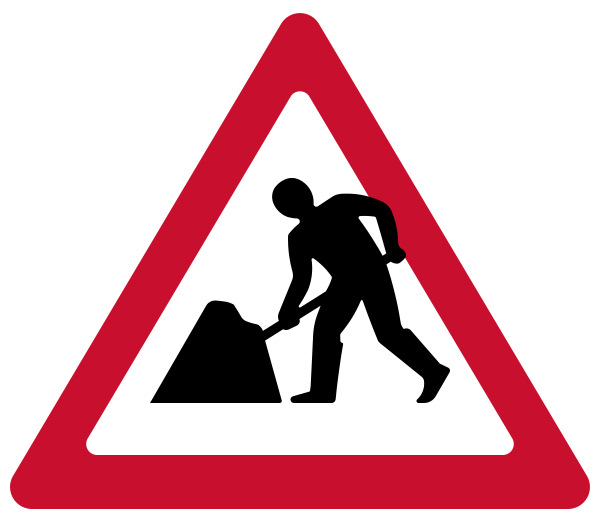
I teach learners to turn sat nav directions into normal driving routines. If the sat nav says you are turning left, you still use mirrors, signal if needed, position, speed and look. If it says to continue ahead, you still check lane markings and signs. The sat nav does not know about every parked van, faded lane arrow, temporary roadworks sign, pedestrian stepping out or cyclist filtering up the inside.
One common test fault is reacting too late because the learner waits for the final instruction. By the time the sat nav says ‘turn left now’, it may be too late to signal, reduce speed smoothly and position correctly. Use the earlier distance prompt to prepare. On busy roads, being ready early looks calm and safe. Leaving everything until the last second looks rushed and can become serious if another road user is affected.
- Hear the instruction, then plan early.
- Glance only when the car is stable and the road ahead is checked.
- Use road signs and lane markings to confirm the route.
- Never cut across lanes just because the sat nav says ‘now’.
- Miss the turn safely rather than force it unsafely.
What examiners mark when the sat nav is on
Examiners do not have a special ‘sat nav fault’ box for getting confused by the map. They mark the same driving competencies as they would at any other time: mirrors, signals, control, positioning, junction judgement, response to signs, awareness and planning. The sat nav simply adds a layer of independent decision-making.
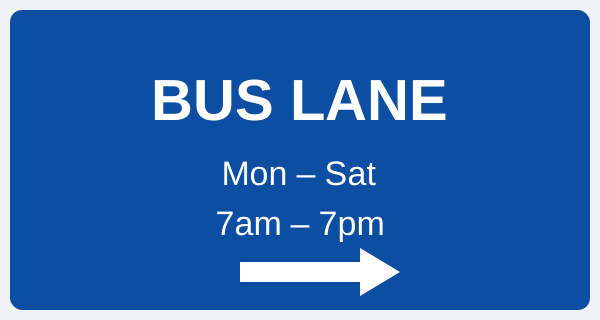
In my experience, the fault that costs people most often is not taking the wrong road. It is changing the plan too suddenly. For example, a learner realises late that the sat nav wants the right-hand lane at a roundabout, so they move across without a proper mirror check. Another follows the blue line into a bus lane because they did not read the sign. Another slows sharply on a main road because they are staring at the countdown distance.
During independent driving, the examiner will normally let you follow the route unless safety or test management requires help. If the sat nav instruction is unclear, you can ask. A simple, ‘Was that the next left?’ is fine. Keep driving safely while you ask. Do not look at the examiner for confirmation when you should be looking at the road.
- Minor-type issue: you miss a turn but keep control, signal correctly and continue safely.
- Driving fault risk: late signal, late position change or unnecessary hesitation caused by uncertainty.
- Serious fault risk: moving lanes without proper observation because you suddenly follow the sat nav.
- Serious fault risk: entering a restricted lane or ignoring a road sign because the map shows that route.
- Dangerous fault risk: sudden braking or swerving that makes another road user take avoiding action.
Roundabouts, lanes and complicated junctions
Roundabouts are where sat nav confidence is really tested. The device may say ‘take the third exit’, but the road signs may show lane choices that do not match the simple diagram on the screen. You must read the actual road. On larger roundabouts, lane markings and overhead signs are more reliable than the picture on the sat nav.
Learners sometimes count every little service road or private entrance as an exit because they are trying to match the sat nav too literally. Use the signs first. If the sign says your destination is right, set up for a right turn unless the lane markings say otherwise. Then count the proper exits as you go round, while keeping your position and checking mirrors before leaving.
At multi-lane junctions, the sat nav may give the direction but not enough detail about lanes. ‘Keep right’ might mean use the right-hand lane, or it might simply mean bear right with the road. If you are not sure, choose the safest legal lane and follow it. A late lane change is usually worse than taking a different route.
- 1Listen for the exit number or road direction before the roundabout.
- 2Check the advance direction sign as early as you can.
- 3Choose your lane from signs and road markings, not just the screen.
- 4Use mirrors before signalling or changing position.
- 5If you are in the wrong lane, follow that lane safely unless you can change with no risk.
- 6Let the sat nav recalculate rather than making a rushed correction.
When the sat nav is wrong, late or confusing
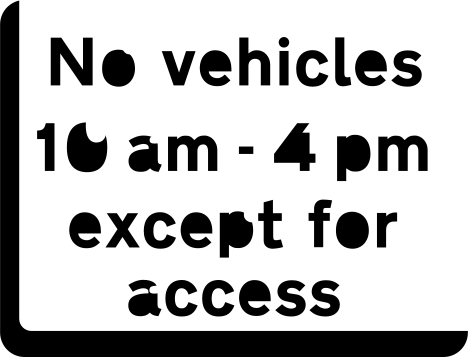
Sat navs are useful, but they are not the authority on the road. Road signs, traffic lights, lane markings, police directions and temporary restrictions take priority. If a sign says no entry, buses only, road closed or turn left only, you obey the sign. The screen does not get a vote.
I often see learners freeze when the sat nav instruction does not match what they see. The better response is to simplify the job: keep speed safe, hold your lane, read the signs and take the legal option in front of you. If you miss the route, the sat nav will recalculate. If it is a driving test, the examiner may help you get back on route. They would much rather see a safe detour than a desperate correction.
Sometimes the sat nav gives an instruction very late, especially in built-up areas with close side roads. If you cannot make the turn smoothly and safely, do not take it. Continue ahead, check mirrors, and let the device sort itself out. The worst thing is a last-second signal and sharp turn that surprises the vehicle behind.
- Road signs overrule the sat nav.
- Lane markings overrule the sat nav picture.
- Temporary roadworks signs still count, even if the map has not updated.
- A missed turn is recoverable; an unsafe turn may not be.
- If confused on test, ask the examiner while continuing to drive normally.
A practice routine for learners and new drivers
Do not leave sat nav practice until the week of your test. Start on roads you know, then move to less familiar areas. The aim is to build the habit of listening, planning and checking, not to memorise test routes. A familiar area lets you notice how often the sat nav instruction is only part of the information you need.
As an instructor, I like to begin by asking the pupil to narrate the plan: ‘Sat nav says left in 400 yards, so mirrors, ease off, look for the junction, check if a signal helps.’ That commentary does not need to continue forever, but it trains the brain to link directions with safe routines. It also exposes misunderstandings early, such as thinking ‘bear left’ always means signal left.
New drivers should practise the same way, especially if they are driving alone for the first time after passing. Pick a quiet time, set a short route and include one or two normal town junctions rather than a long motorway run straight away. Build up gradually to unfamiliar city centres, complex retail parks and multi-lane roads.
- 1Practise first on a familiar local route of 10 to 15 minutes.
- 2Use voice guidance and avoid looking at the screen unless necessary.
- 3At each instruction, say the driving routine out loud: mirrors, signal, position, speed, look.
- 4Deliberately allow the sat nav to recalculate once by missing a safe turn.
- 5Practise roundabouts where the exit number and lane choice need planning.
- 6After the drive, review one moment where the sat nav distracted you and how to fix it next time.
Sat nav checklist before you drive
A sat nav should make the drive calmer, not busier. If setting it up takes your attention away from observations, moving off checks or clutch control, do it earlier. The safest drivers are boringly organised before they release the handbrake or select drive.
For test day, remember that the examiner’s device is just another instruction source. Drive the car you have trained in, use the routines you already know, and do not try to be clever with the route. If you are safe, legal and predictable, the sat nav section is usually very manageable.
For everyday driving after you pass, keep the same standards. The law, the Highway Code and common sense all point in the same direction: set it before you go, leave it alone while moving, and drive what you can see rather than what the screen suggests.
- Destination entered before moving off.
- Device secure and not blocking the windscreen view.
- Volume, brightness and charging sorted.
- Phone notifications silenced if using an app.
- Route followed only when it is safe and legal.
- Plan missed turn: continue safely, let it recalculate, do not panic.
Common questions
Do I have to use a sat nav on my driving test?
You do not choose whether the independent driving part uses a sat nav or traffic signs. The DVSA says most car tests use a sat nav, while some use traffic signs. If a sat nav is used, the examiner supplies and sets it up.
Will I fail my driving test if I go the wrong way with the sat nav?
Not just for going the wrong way. Examiners mark how safely you deal with the situation. If you miss a turn calmly and continue safely, that is normally much better than swerving, braking harshly or changing lanes late.
Can I ask the examiner about a sat nav instruction?
Yes, you can ask for clarification if you are unsure. Keep your eyes mainly on the road and continue driving safely while you ask. The examiner is not there to trick you with navigation.
Can I use my phone as a sat nav as a new driver?
Yes, but it must be set up before you drive and used hands-free in a secure mount. You must not hold and use it while driving. GOV.UK states the penalty for using a hand-held mobile phone while driving is 6 points and a £200 fine, and figures can change.
Where should I put a sat nav in the car?
Put it somewhere secure, low and easy to glance at without blocking your view. Avoid the centre of the windscreen and avoid trailing cables near the controls. Highway Code Rule 92 says windows and windscreens must be free from obstructions to vision.
What should I do if the sat nav tells me to go into a bus lane or no-entry road?
Follow the road signs and markings, not the sat nav. If the route is wrong, continue safely and let it recalculate. On test, the examiner can help redirect you if needed.
Browse driving lessons
Reading about it only gets you so far. Our instructors drill this with you in the car, on the roads around your test centre.